
- Blog
- Nov 19, 2026
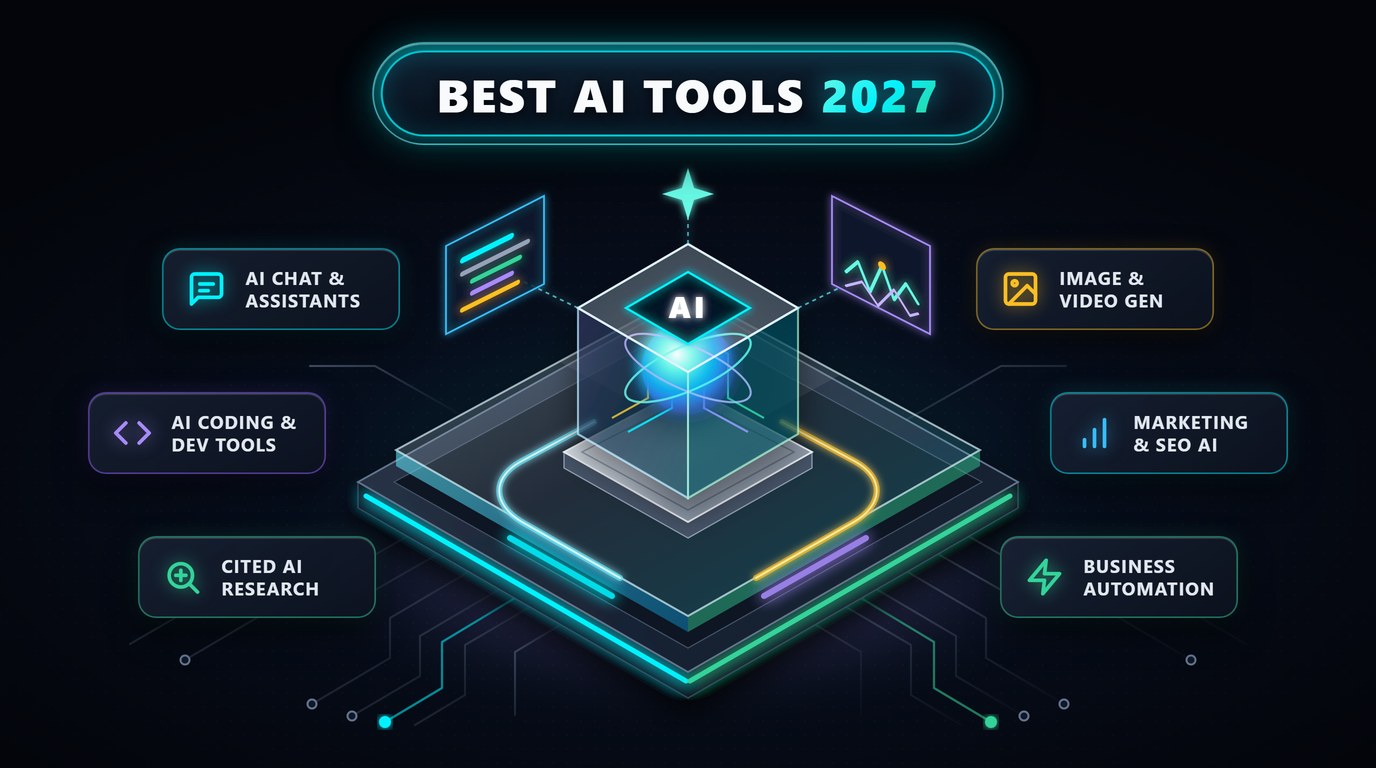
Artificial intelligence has moved swiftly from experimental novelty into everyday professional infrastructure. Across software engineering teams, marketing agencies, classrooms, research laboratories, and solo creative studios, practical automation now handles tasks that previously demanded hours of repetitive manual work. Selecting the best ai tools is no longer about chasing flashy demos; it is about assembling reliable, accurate software that integrates cleanly into real workflows and produces measurable time savings.
With thousands of newly launched applications competing for monthly subscriptions, separating enduring platforms from short-lived wrappers requires careful evaluation. Decision-makers and individual professionals alike need clear answers on pricing structures, data privacy controls, model accuracy, and daily usability. Evaluating the top ai tools objectively means testing how each platform handles nuanced reasoning, long-context files, visual generation, code architecture, and team governance.
This comprehensive 2027 guide examines twelve proven platforms spanning conversational reasoning, software engineering, cited research, visual design, video production, and organic growth. Whether you are evaluating the best ai tools for business scale, assembling a zero-cost stack from the best free ai tools, or comparing specialized creative suites, the benchmarks and breakdowns below will help you build a focused, high-return software stack.
Key Strategic Takeaways
- Modern AI adoption favors focused, multi-modal platforms over bloated collections of single-purpose subscriptions; most professionals get maximum value from two to three well-chosen tools.
- General-purpose reasoning assistants handle everyday drafting, brainstorming, and data analysis, while dedicated vertical tools dominate software coding, cited research, video editing, and search optimization.
- Generous free tiers allow students, educators, and small teams to test core workflows thoroughly before committing to paid seats or enterprise security plans.
- Enterprise buyers must evaluate data-retention policies, zero-training guarantees, role-based access controls, and native API integrations alongside raw model quality.
- Human review, domain judgment, and clear verification remain essential—AI platforms accelerate skilled execution rather than replacing subject-matter expertise.
How the AI Software Landscape Has Matured in 2027
Earlier generations of generative software relied mostly on single-turn text prompts that required heavy manual editing. Over the past two years, leading ai tools have evolved into multi-modal, agentic workspaces capable of reading entire codebases, analyzing multi-hundred-page financial reports, browsing live web citations, generating studio-grade visuals, and executing multi-step office automations. Understanding how major ai tools specialize helps you avoid paying twice for overlapping capabilities.
When reviewing the top 10 ai tools—and narrowing down to the top 5 ai tools for lean teams—four evaluation criteria separate dependable software from marketing hype: factual reliability and citation transparency, workflow integration with existing tools like Google Workspace or GitHub, predictable seat pricing, and strong privacy safeguards. The comparison table below summarizes twelve widely respected platforms across their primary specialties, free tier access, and starting commercial plans.
| Platform | Primary Category | Standout Strength | Free Plan | Starting Paid Tier |
|---|---|---|---|---|
| ChatGPT | All-in-One Reasoning Assistant | Multi-modal voice, data analysis, web search, custom GPTs | Yes (Generous) | $20 / mo (Plus) |
| Claude | Writing, Reasoning & Code | Natural prose quality, huge context window, Projects & Artifacts | Yes (Limited msgs) | $20 / mo (Pro) |
| Google Gemini | Ecosystem & Multi-Modal AI | Deep Workspace integration, massive long-context audio/video | Yes (Generous) | $19.99 / mo (AI Pro) |
| Perplexity | AI Answer & Research Engine | Live web synthesis with inline clickable source citations | Yes (Daily Pro runs) | $20 / mo (Pro) |
| Cursor | AI-Native Code Editor | Multi-file repository refactoring and autonomous code edits | Yes (Hobby tier) | $20 / mo (Pro) |
| GitHub Copilot | IDE Developer Assistant | Native VS Code/JetBrains autocomplete & enterprise PR governance | Yes (Free tier) | $10 / mo (Pro) |
| Midjourney | Creative Image Generation | Photorealistic editorial artistry, style consistency & lighting | No | $10 / mo (Basic) |
| Runway | AI Video Creation & Editing | Cinematic motion control, text-to-video & background removal | Yes (Starter credits) | $12 / mo (Standard) |
| Jasper | Brand Marketing Platform | Brand voice governance, multi-channel campaign workflows | 7-Day Trial | $39 / mo (Creator) |
| Notion AI | Workspace Knowledge AI | Instant Q&A across wikis, meeting notes & project databases | Limited trial runs | Included in Business |
| Canva Magic Studio | Design & Social Media Suite | One-click brand resizing, Magic Expand, rapid social templates | Yes (Limited AI uses) | $15 / mo (Pro) |
| Surfer SEO | SEO Content Intelligence | Live SERP NLP scoring, topical maps & internal link audits | Free extension | $89 / mo (Essential) |
1. ChatGPT
OpenAI's flagship platform remains the benchmark among the most popular ai tools and most used ai tools across global households and corporations alike. What began as a conversational text model has evolved into a broad multi-modal workspace combining advanced reasoning models, real-time web browsing, interactive voice conversation, native image generation, and automated Python data analysis inside a single interface.
For everyday operational tasks, ChatGPT shines through versatility. Analysts can upload multi-sheet CSV spreadsheets to generate clean statistical charts, executives can rehearse investor presentations using natural voice mode, and teams can build reusable Custom GPTs pre-loaded with internal SOPs, formatting checklists, and style guidelines. Its Deep Research capability autonomously browses dozens of web sources to compile structured market briefings with citations.
Pricing scales smoothly across user needs. The free edition offers substantial daily access to core models and web search, placing it solidly among the top free ai tools for newcomers. ChatGPT Plus ($20 per month) unlocks higher message limits, deep research runs, and expanded visual creation, while Team and Enterprise plans provide centralized workspace administration and explicit contractual commitments that business data is never used for model training.
2. Claude
Built by Anthropic with a deep emphasis on reliability, nuanced instruction following, and clean prose, Claude has earned a devoted following among software architects, editors, and analysts looking for one of the most powerful ai tools for complex thinking. Where many models slip into repetitive phrasing or bloated summaries, Claude consistently produces crisp, human-sounding writing that closely mirrors custom editorial guidelines, securing its standing among the best ai tools for writers.
Two workspace capabilities distinguish Claude in day-to-day execution. Claude Projects allows users to organize persistent knowledge bases—uploading brand guidelines, product specifications, legal contracts, or technical documentation once so every conversation inside that project inherits accurate institutional context. Artifacts renders interactive code previews, SVG diagrams, structured HTML components, and editable documents side-by-side in real time without cluttering the chat thread.
Software teams also rely heavily on Claude for architectural reasoning, debugging complex distributed logic, and terminal-level coding via Claude Code. A free tier lets individuals test core capabilities daily, while Claude Pro ($20 per month) and Team/Enterprise tiers expand usage quotas, collaboration features, and security compliance.
3. Google Gemini
Google Gemini stands apart through native multi-modality, an industry-leading long context window, and tight integration across the tools hundreds of millions of people already use every day. Rather than copying and pasting text between disconnected browser tabs, organizations running on Google Workspace can invoke Gemini directly inside Gmail, Google Docs, Sheets, Slides, and Meet to summarize threads, build pivot tables, draft proposals, and capture live meeting action items.
Because Gemini natively processes massive volumes of text, audio recordings, PDFs, images, and full-length videos simultaneously, it excels at synthesizing sprawling inputs. Researchers and educators can upload hour-long lecture recordings or dense technical manuals alongside NotebookLM to generate interactive study guides, audio briefings, and cross-referenced summaries. Its Gems feature also enables users to save custom domain-expert personas tailored for recurring tasks.
With an accessible free version available to any Google account and paid Google AI Pro plans starting around $19.99 per month (bundled with generous Google One cloud storage), Gemini is frequently ranked among the top rated ai tools for cross-device productivity across Android, Chrome, and enterprise Workspace environments.
4. Perplexity
Perplexity reimagined online discovery by combining live search indexing with structured language synthesis, earning widespread recognition as one of the best ai tools for research. Instead of returning ten blue links that force readers to open a dozen ad-heavy tabs—or generating uncited answers vulnerable to subtle hallucinations—Perplexity searches the live web, synthesizes key findings cleanly, and attaches clickable inline footnotes to every factual claim.
Professionals rely on Perplexity's Focus modes to narrow retrieval strictly to academic papers, SEC filings, financial transcripts, or technical forums. Its Spaces feature lets teams collect recurring research threads, uploaded PDFs, and shared custom instructions inside a collaborative hub. Deep Research mode goes further by running iterative multi-step searches across dozens of primary sources to build comprehensive competitive dossiers in minutes.
The free plan provides unlimited quick searches and several daily Pro queries, making it an extraordinarily useful ai tools addition for fact-checking. Perplexity Pro ($20 per month) unlocks high daily volumes of Pro and Deep Research queries along with the ability to switch between frontier models inside one clean search interface.
5. Cursor
Cursor has rapidly transformed modern software engineering by rebuilding the code editor experience around deep repository-wide intelligence. Forked from Visual Studio Code so engineers keep every familiar extension, theme, and keybinding, Cursor indexes entire codebases locally and understands how database schemas, API controllers, frontend components, and test suites interact across dozens of files.
Its agentic editing workflows go far beyond single-line autocomplete. Engineers can describe a multi-file feature upgrade, bug fix, or migration in plain English, and Cursor proposes coordinated diffs across relevant files, executes terminal test suites to catch regressions, and iterates until tests pass cleanly. Developers can also select preferred frontier models per task—pairing fast models for routine edits with deep reasoning models for architectural refactors.
Widely praised as one of the best ai tools for coding and best ai tools for developers, Cursor offers a free Hobby tier for evaluation, a $20-per-month Pro plan for professional builders, and Business plans with centralized billing, enforced privacy mode, and SOC 2 compliance.
6. GitHub Copilot
GitHub Copilot remains the most widely deployed enterprise coding assistant across corporate engineering organizations. Because it embeds natively into Visual Studio Code, Visual Studio, JetBrains IDEs, Neovim, and the GitHub web interface itself, large software teams can adopt AI assistance without forcing developers to switch away from standardized company IDEs or existing security review workflows.
Copilot pairs low-latency inline code completion with integrated repository chat, automated pull-request summaries, unit-test scaffolding, and vulnerability remediation alerts inside GitHub Advanced Security. Multi-model selection allows developers to route complex debugging questions to leading reasoning models while maintaining unified corporate seat licensing and IP indemnity protection.
GitHub offers a permanent Free tier with monthly completion and chat allowances, Copilot Pro at $10 per month (free for verified students and open-source maintainers), and Business ($19 per user/month) and Enterprise tiers built specifically for regulated software teams.
7. Midjourney
Midjourney holds an unmatched reputation for aesthetic polish, lighting realism, and artistic direction, cementing its position among the best ai tools for image generation. While early versions required typing slash commands inside Discord servers, Midjourney's streamlined web interface now provides intuitive visual controls for aspect ratios, stylization intensity, image-to-image references, inpainting edits, and character or style consistency across entire brand campaigns.
Art directors, editorial publishers, product designers, and game concept artists rely on Midjourney to move from rough creative briefs to gallery-grade visual moodboards and custom campaign artwork in minutes. Its Style Reference and Personalization profiles allow creative teams to lock in a cohesive visual language rather than getting wildly inconsistent aesthetics on every prompt.
Midjourney operates strictly on paid plans starting at $10 per month (Basic) and $30 per month (Standard) for expanded fast GPU hours and unlimited relaxed generation, with Pro and Mega tiers adding Stealth Mode so confidential commercial concepts stay private.
8. Runway
Runway has pioneered browser-based generative filmmaking and post-production automation, establishing itself among the best ai tools for video editing and commercial motion graphics. Beyond simple text-to-video clips, Runway gives creative directors fine-grained camera controls—panning, tilting, zooming, motion-brush masking, and reference-frame locking—so generated B-roll matches real storyboards and brand aesthetics.
Its practical post-production suite saves editors hours on tedious frame-by-frame work. Tools like Green Screen instant rotoscoping, Inpainting object removal, audio cleanup, and automated subtitle timing integrate cleanly alongside traditional NLE timelines like Premiere Pro and DaVinci Resolve. Marketing teams use Runway to produce polished product teasers, social ad variations, and animated explainer sequences without booking full studio shoots.
A free Starter plan supplies one-time credits to test core tools, while Standard ($12 per user/month billed annually) and Pro plans unlock watermark-free exports, higher-resolution upscaling, and custom voice or asset libraries.
9. Jasper
Jasper is built specifically for commercial marketing teams that need consistent brand governance across blogs, ad copy, landing pages, product launches, and email sequences. While general chat interfaces start fresh on every prompt unless manually coached, Jasper embeds company style guides, product facts, audience personas, and compliance guardrails directly into shared campaign workspaces—making it a standout choice among the best ai tools for marketing and top ai tools for marketing teams.
Marketing directors appreciate Jasper's Campaigns engine: upload a single creative brief for a quarterly launch, and the platform drafts coordinated blog outlines, LinkedIn announcements, paid search variations, and press releases aligned to the exact same brand voice. Its Browser Extension brings those same brand rules into CMS editors, CRM email composers, and social schedulers.
Plans begin with a 7-day free trial followed by Creator ($39 per month billed annually) and Pro tiers for multi-brand workspaces, with Enterprise packages offering API access, custom approval workflows, and dedicated analytics.
10. Notion AI
Notion AI solves one of the most frustrating bottlenecks in modern knowledge work: finding verified answers buried inside scattered internal wikis, meeting transcripts, Slack threads, and project trackers. Rather than forcing staff to copy sensitive company notes into external chat windows, Notion AI operates directly inside your team's existing workspace—earning its spot among the best ai tools for productivity.
Users can ask natural questions like "What technical blockers were flagged in last month's onboarding sprint?" and receive concise answers linked directly to the exact internal pages and tickets. Its AI Autofill database properties automatically extract key action items, sentiment tags, and executive summaries across hundreds of CRM entries or customer feedback logs, while integrated AI Meeting Notes transcribe calls and convert discussions into assignable tasks automatically.
Notion includes introductory trial responses on free workspaces and bundles full Notion AI capabilities into its Business and Enterprise tiers, keeping internal knowledge secure under enterprise-grade access controls.
11. Canva Magic Studio
Canva Magic Studio brings accessible visual automation to non-designers, solo creators, and agile social media teams. Combining millions of layout templates with built-in AI utilities—including Magic Switch for instant multi-platform resizing, Magic Eraser, Magic Expand, Background Remover, and Magic Write—it consistently ranks among the best ai tools for social media and top ai tools for content creation.
A social manager can design a single vertical announcement graphic and convert it into a YouTube thumbnail, LinkedIn carousel, email header, and translated regional variant in seconds while preserving locked Brand Kit fonts and hex palettes. For small teams without a full-time graphic designer, Canva removes production bottlenecks without requiring mastery of complex desktop design software.
Canva's free plan provides basic templates and limited Magic Studio trial uses, while Canva Pro ($15 per month) and Teams subscriptions unlock unlimited brand kits, Magic Resize, premium stock media, and collaborative scheduling.
12. Surfer SEO
Surfer SEO bridges the gap between AI-assisted writing and measurable organic search performance, making it one of the best ai tools for seo and best ai tools for digital marketing teams competing for first-page visibility. Instead of guessing which subtopics or semantic terms matter to search algorithms, Surfer analyzes top-ranking live search results in real time and turns those competitive signals into clear editorial briefs and live content scores.
Content teams use Surfer's Topical Map to plan cohesive clusters of interlinked articles, draft inside the Content Editor (or via native Google Docs and WordPress extensions), and run automated Content Audits on older posts to uncover quick ranking wins and missing internal links. Its AI visibility tracking also helps brands monitor how frequently their pages earn citations inside AI-generated search summaries. For broader platform comparisons across crawling and keyword tracking, check our complete breakdown of the best SEO tools for 2027.
Plans start at $89 per month (Essential) with Scale and Enterprise tiers designed for high-output agencies and multi-site publishers.
Choosing the Right AI Stack by Role and Budget
No single subscription solves every problem, and subscribing to every famous ai tools release quickly leads to software fatigue. The smartest approach is matching a lean core assistant with one or two specialized tools aligned directly to your daily output. Below is a practical blueprint across the most common professional and educational roles.
| User Profile | Recommended Core Stack | Primary Workflow Benefit | Typical Monthly Budget |
|---|---|---|---|
| Small Business Owner | ChatGPT Plus + Canva Pro | Proposals, customer emails, social visuals & basic analysis | $35 / mo |
| Software Developer | Cursor Pro + Claude Pro (or GitHub Copilot) | Multi-file refactoring, debugging, test coverage & docs | $20 – $40 / mo |
| Content & SEO Marketer | Claude Pro + Perplexity Pro + Surfer SEO | Verified research, human-grade drafting & live SERP scoring | $129 / mo |
| Student or Educator | Google Gemini (Free) + Perplexity (Free) + NotebookLM | Cited literature reviews, interactive study guides & lesson planning | $0 (Free) |
| Creative & Video Studio | Midjourney Standard + Runway Standard + Canva Pro | Concept art, cinematic motion assets & multi-channel packaging | $57 / mo |
Small Businesses and Growing Commercial Teams
Owners searching for the best ai tools for small business—or enterprise directors benchmarking top ai tools for business—should prioritize immediate administrative relief and clear data governance. Pairing one general reasoning suite (ChatGPT Team, Claude Team, or Google Workspace with Gemini) with Canva Magic Studio and Notion AI eliminates hours of proposal drafting, meeting documentation, and visual asset turnaround without bloating payroll or software overhead.
Students, Educators, and Academic Classrooms
Education has embraced responsible AI assistance for personalized tutoring and lesson prep. The best ai tools for students and top ai tools for students emphasize source verification and active learning rather than shortcut essay generation—pairing Perplexity for cited research with Google Gemini and NotebookLM to turn dense textbooks into practice quizzes and concept explanations. Similarly, educators evaluating the best ai tools for teachers rely on structured rubrics, differentiated reading levels, and slide outlines inside Gemini, ChatGPT, and Canva for Education to reclaim weekend grading and preparation hours.
Creators, Everyday Explorers, and Budget Workflows
Solo creators comparing the best ai tools for content creation rarely need enterprise suites on day one. Starting with common ai tools that offer generous free plans—such as ChatGPT Free, Gemini, Perplexity, and Canva—delivers genuinely good ai tools and helpful ai tools at zero upfront cost. Beyond strict office work, creative tinkerers also enjoy experimenting with cool ai tools, awesome ai tools, and fun ai tools for interactive storytelling, custom album artwork, music prototyping, and playful visual remixing—proving that popular ai tools can spark personal creativity just as effectively as corporate productivity.
Five-Point Evaluation Checklist Before Paying for Any AI Subscription
Before approving a new recurring license for yourself or your organization, run every candidate platform through five practical checks:
- Data Privacy and Model-Training Policies: Confirm whether inputs and uploaded files are excluded from future model training by default—especially if staff paste customer PII, source code, or financial forecasts.
- Verification and Citation Transparency: For research, legal, medical, or business strategy tasks, prefer platforms that provide live source links so human reviewers can verify every statistic in seconds.
- Export Portability and Lock-In Risk: Ensure prompts, generated assets, knowledge bases, and project histories can be exported cleanly in open formats (Markdown, CSV, PNG/MP4, Git) if you switch vendors later.
- Real Workflow Friction: A slightly less famous tool embedded directly inside your IDE, CMS, or document suite often beats a standalone powerhouse that forces constant window-switching.
- Measurable ROI Over 30 Days: Track hours saved or output quality gains across a 30-day pilot; cancel any subscription that sits unused for two consecutive weeks.
Frequently Asked Questions (FAQs)
What are the best free AI tools to start using in 2027?
The strongest zero-cost stack combines ChatGPT Free or Google Gemini for general drafting and brainstorming, Perplexity Free for cited live web research, Canva Free for quick graphics, and GitHub Copilot Free for everyday coding assistance. Together, these platforms cover writing, research, design, and software development without requiring a credit card.
Which single AI platform is best overall if I only want one paid subscription?
For broad all-around versatility—spanning voice mode, data analysis, web search, and image creation—ChatGPT Plus ($20/month) offers the widest feature set under one roof. Writers, editors, and software engineers who prioritize prose quality and deep codebase reasoning often prefer Claude Pro ($20/month), while heavy Google Workspace users get seamless value from Google Gemini.
Is it safe to paste confidential business data into public AI tools?
You should never paste sensitive customer records, credentials, or proprietary legal contracts into consumer free tiers without checking data-retention settings first. Businesses handling confidential information should deploy Business, Team, or Enterprise tiers—or private API endpoints—that contractually guarantee zero model training on customer data and offer SOC 2 or ISO 27001 compliance.
Can AI tools replace human marketers, writers, or software developers?
No—AI platforms dramatically accelerate first drafts, boilerplate code, research synthesis, and repetitive editing, but they still require skilled human judgment for strategy, factual verification, architectural security, and brand originality. The strongest results consistently come from domain experts using AI as a force multiplier rather than relying on unreviewed automation.
How should small businesses adopt AI without wasting budget on unused subscriptions?
Start by identifying two concrete bottlenecks—such as proposal turnaround time, content production, or customer support triage—and pilot one reputable tool on a monthly plan for 30 days. Document clear time savings and establish simple internal usage guidelines before expanding licenses across additional departments.
Integrate Custom AI Solutions with BlackTech Consultancy
Off-the-shelf AI platforms unlock immediate personal productivity, yet sustainable competitive advantage often comes from integrating intelligent automation directly into your custom web applications, CRM pipelines, and internal data systems. BlackTech Consultancy helps growing businesses design secure AI integrations, build scalable custom software, and execute data-driven digital marketing strategies tailored to real commercial outcomes. Connect with our engineering and strategy team today to discuss how tailored AI workflows can accelerate your business in 2027.